Open-source clipboard archive · macOS 14+

Every clip leaves a trace.

An open-source clipboard manager for macOS — local-first, searchable by meaning, and ready to hand your history to AI tools without ever touching the cloud.

  • 100% on-device
  • MIT licensed
  • No account, no cloud
ClipTrace activity statistics and yearly heatmap
Activity — daily count & yearly heatmap
ClipTrace MCP server settings
MCP — connect Claude Desktop, Claude Code or Cursor
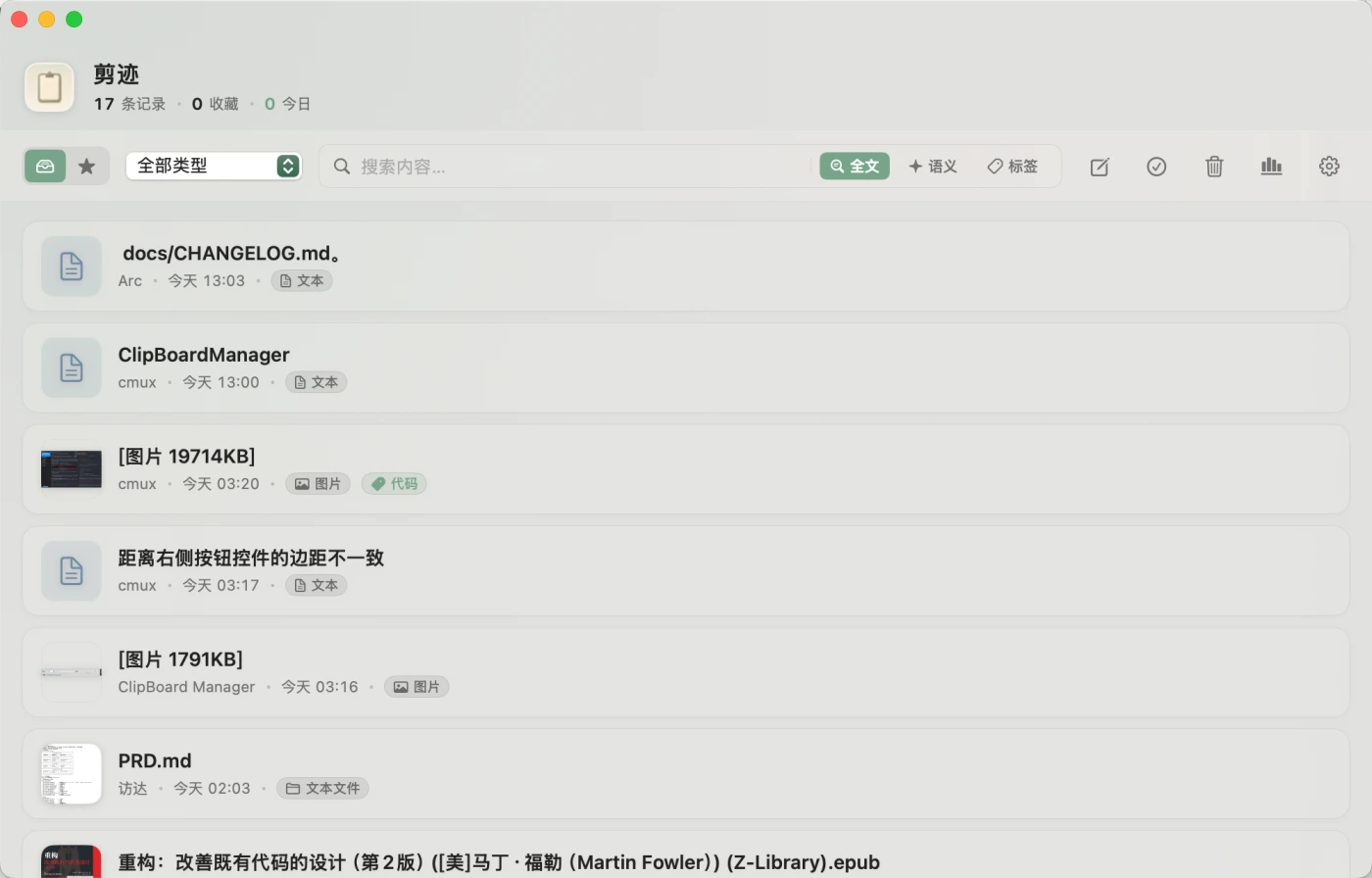
ClipTrace main window with history, search, and tags
Main window — history, full-text & semantic search, tags
Text · Images · Video · Files · URLs · Rich text Offline semantic search Built-in MCP server Menu bar · Quick Paste · Snippets Text · Images · Video · Files · URLs · Rich text Offline semantic search Built-in MCP server Menu bar · Quick Paste · Snippets
02

What it does

A quiet archive of everything you copy.

Capture & reuse

Auto-captures text, images, video, files, URLs and rich text. Double-click to copy any entry back. Re-copying floats an item up instead of duplicating it.

  • Paste as plain text & trim whitespace
  • Soft-delete trash with restore & retention
  • Global hotkeys for window & snippets

Search & organize

Full-text and offline semantic search across text and OCR content. Slice history with operators, then keep what matters with tags and pins.

  • app:Safari · since:2d · before:2026-05-01
  • Favorites, pins, tags & custom titles
  • Multi-select merge for same-type clips

Content awareness

ClipTrace reads what it stores. Images get OCR-indexed, links get cleaned, and text is parsed for the formats developers live in.

  • Rich hover preview & image OCR
  • Detects timestamps, Base64 & JSON
  • Strips utm_*, fbclid, gclid from URLs

Export & stats

Take your archive anywhere and watch your own rhythm — a GitHub-style heatmap of everything you've copied this year.

  • JSON export by type, date, favorite & pin
  • Per-item export to text, PNG & more
  • Daily counts, 14-day chart & yearly heatmap
04

AI-native

Your clipboard, as a tool your AI can call.

The app binary doubles as a Model Context Protocol stdio server. Point Claude Desktop, Claude Code, or Cursor at it and they can search, read, tag and organize your clipboard — locally, with the tools you allow.

claude_desktop_config.json
{
  "mcpServers": {
    "clipboard": {
      "command": "/Applications/ClipTrace.app/Contents/MacOS/ClipTrace",
      "args": ["--mcp"]
    }
  }
}

Exposed tools

search_clipboard list_recent get_clip list_tags list_recent_activity tag_clip untag_clip favorite_clip pin_clip delete_clip restore_clip create_snippet

MCP can expose clipboard contents to the client you configure — every tool can be toggled off. Read the privacy notes before enabling it for sensitive workflows.

Works with Claude Desktop·Claude Code·Cursor
05

Privacy by construction

It stays on your Mac — because there's nowhere else for it to go.

Clipboard history, OCR text, tags and embeddings never leave the device. There's no account to create and no server to trust. When you do want control, every dial is in your hands:

Read the privacy notes →
  • Pause capture whenever you want
  • Exclude specific source apps
  • Honor sensitive pasteboard markers
  • Strip URL tracking parameters
  • Disable any or all MCP tools
  • Hide the window from screen recording
  • Delete history — soft or for good
  • Set a retention period & auto-clean

Start keeping a trace.

Free and open source. Download the latest DMG, drag ClipTrace into Applications, and your clipboard remembers from here on.

macOS 14.0 Sonoma or later · Signed with a stable identity so Accessibility survives updates