Open source · native macOS · macOS 14+

剪迹 Clipth

Copy once. Find it when it matters.

A local-first clipboard history for Mac. Search by meaning, reuse without breaking focus, and decide for yourself when anything leaves the device.

  • No account
  • Cloud optional
  • MIT licensed
Clipth main window showing clipboard history, semantic search, and tags
History, search, tags — one native workspace

The clipboard should remember. You should not have to.

Clipth records text, images, video, files, links, and rich text. Re-copying an existing item moves it forward instead of making another copy.

Apple NLEmbedding and Vision keep semantic search and OCR on-device. Sensitive values are conservatively redacted across the interface, exports, and MCP by default.

Three views. One working memory.

The interface stays close to the work: recover a clip, understand your rhythm, or let a local AI client act on the archive you choose to expose.

Find the thought, not just the wording.

Search text and OCR content by keyword or meaning. Narrow it with source and time operators, then pin, favorite, tag, or title what deserves a permanent place.
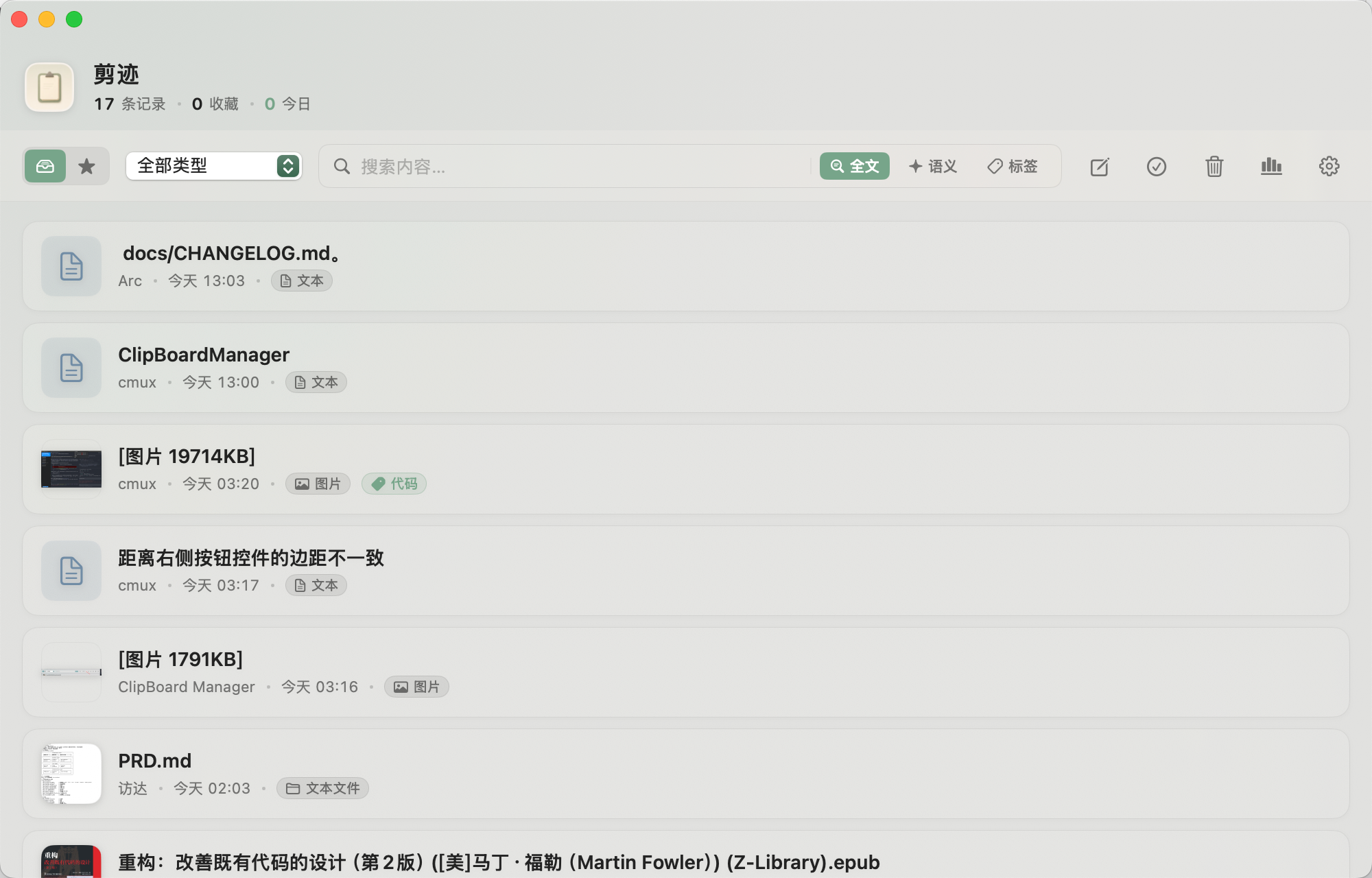
Clipth history list and search interface
Open full-size capture
  1. 1

    Full-text and offline semantic search across text and OCR.

  2. 2

    app:Safari · since:2d · before:2026-05-01

  3. 3

    Double-click to copy back; Quick Paste keeps your hands on the keyboard.
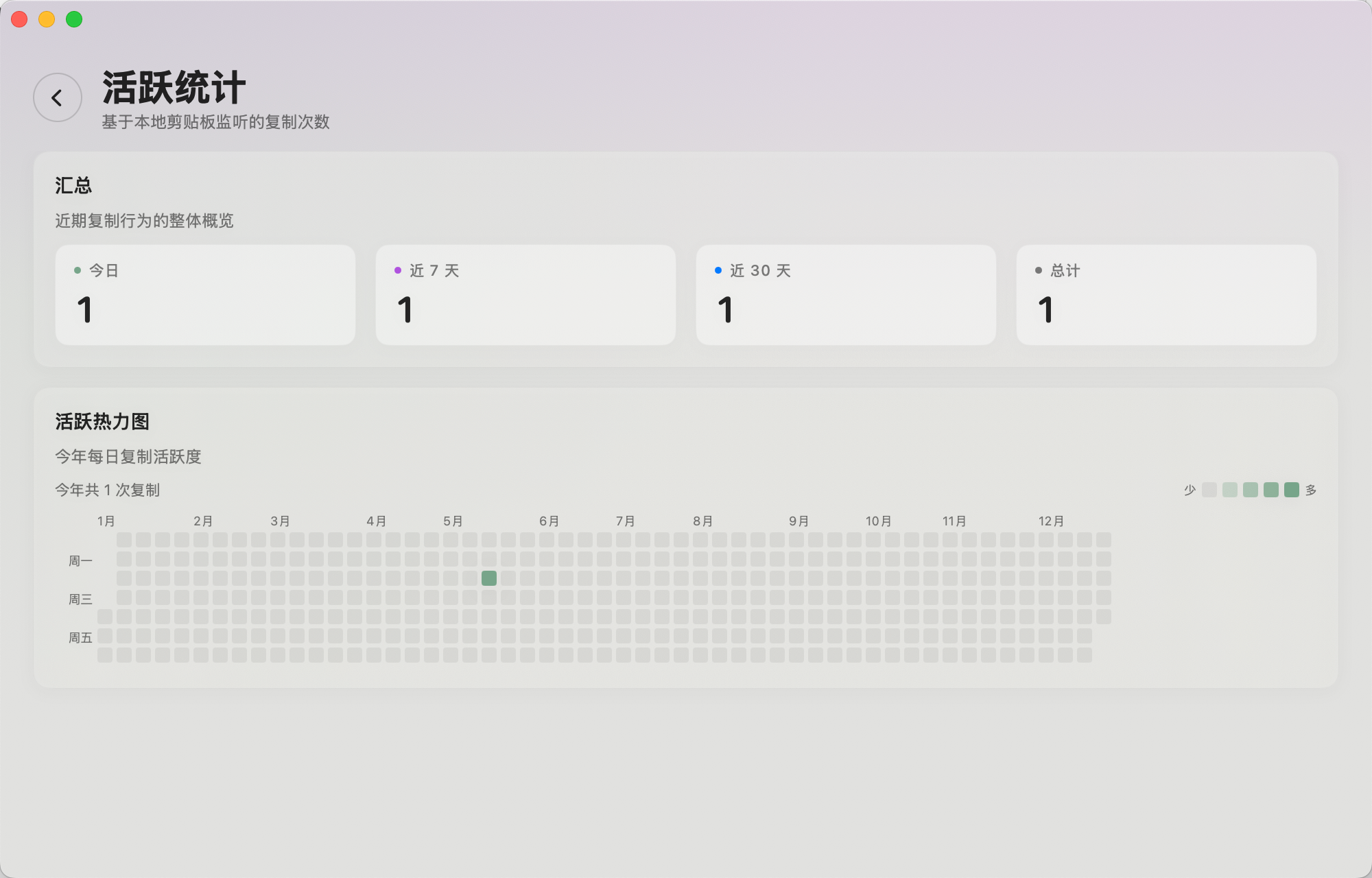
See the rhythm behind the work.

Daily counts, a fourteen-day view, and a yearly heatmap turn a private archive into a quiet record of how you work. The statistics stay on this Mac.

Clipth activity statistics with a daily chart and yearly heatmap
Activity stays local

Give AI tools a clipboard they can actually use.

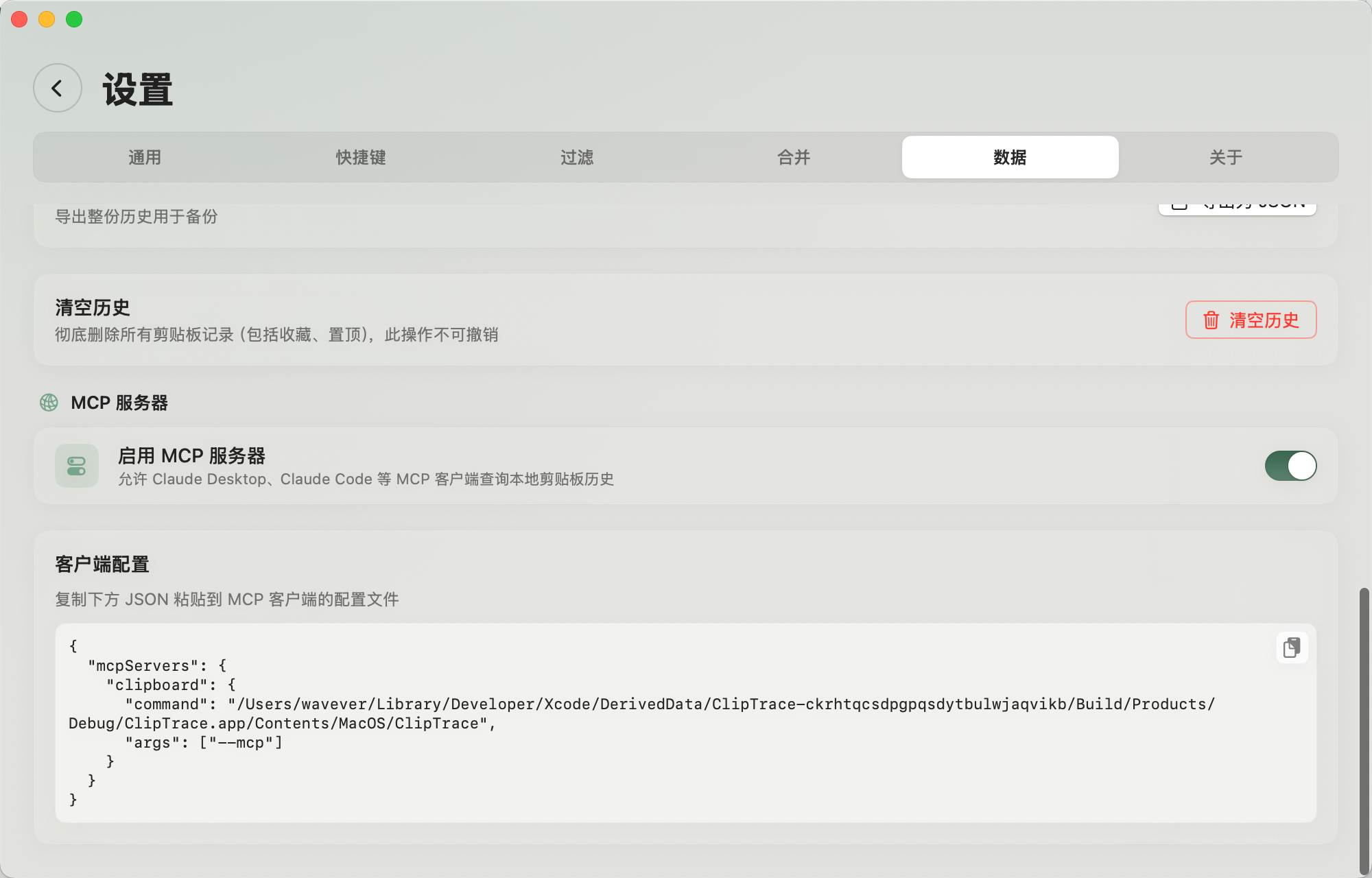
The app binary doubles as a local MCP stdio server for Claude Desktop, Claude Code, Cursor, and other compatible clients. Enable only the tools you want; protected values are redacted by default.

Clipth MCP server settings with individual tool controls
MCP tools are individually controllable
search_clipboard
Find clips by keyword or meaning
create_snippet
Keep useful output with a title and tags
Content protection
Redact protected values unless you explicitly opt in

Feature atlas

Much more than a clipboard list.

From the moment something is copied to the moment it is found, transformed, pasted, protected, or synced, Clipth keeps the whole workflow native and under your control.

Capture

Whatever you copy, it belongs in the same memory.

Text Images Video Files Links Rich text
  • Re-copy an existing item and it moves forward—no duplicate clutter.
  • Compressed image storage and external payloads keep large histories light.
  • Hover previews, video thumbnails, and inline playback reveal content before you reuse it.

Reuse

Paste without leaving the thought you are in.

Quick Paste

Call it from any app
  • Choose from the lightweight panel and auto-paste back into the app you were using.
  • Double-click to copy back, paste as plain text, or select several clips and paste them in order.
  • Keep reusable answers, addresses, and templates as titled, tagged, optionally pinned snippets.

Organize

Turn a growing archive into a working library.

Find
Full text, offline semantic search, OCR, type filters, source and time operators.
Arrange
Favorites, pins, tags with autocomplete, custom titles, and named groups.
Edit
Merge selected text, links, rich text, or stitch images horizontally and vertically.
Recover
Soft-delete to Trash, restore mistakes, and automatically clean up by retention rules.

Content aware

It recognizes the shape of the content, not just its bytes.

  • Selectable OCR

    Vision indexes image text and overlays selectable fragments in preview.

  • Structured text

    Timestamps, Base64, and JSON are recognized for clearer reading.

  • Cleaner links

    Optionally remove utm_*, fbclid, gclid, and other tracking parameters as links arrive.

Protect

Useful history, with boundaries you can see.

Stored locally13812345678
Shown safely138****5678
  • Phone numbers, API keys, tokens, passwords, and your own rules are redacted across UI, exports, and MCP by default; the original remains reusable on-device.
  • Pause monitoring, exclude source apps, ignore sensitive pasteboard markers, or hide Clipth from screen capture.
  • Export JSON with type, time, favorite, and pin filters—or export one item in its original format.

Native menu bar app · list and adaptive grid layouts · customizable shortcuts · light, dark, and system appearance · Chinese and English

The cloud is a choice, not a prerequisite.

Sync is off until you configure it. When enabled, Clipth encrypts incremental operations on-device with AES-256-GCM and merges concurrent edits instead of replacing one Mac’s database with another.

Read the sync architecture
  1. 01Encrypt here

    Plaintext stays on the Mac.

  2. 02Store where you choose

    iCloud Drive, WebDAV, S3-compatible storage, or a local folder.

  3. 03Merge, do not overwrite

    Field versions, encrypted journals, and recoverable conflict copies protect concurrent work.

Keep what you copied.

Free, open source, and made for macOS 14 or later. Download the latest DMG, then drag Clipth into Applications.

Download latest release

Stable self-signed identity · public notarization is on the roadmap